Configuration Window
The Configuration window is used to specify the settings Baseline Name File and Scenario Output Dir to have SUSTAIN properly operated.
Baseline Name Fileis the file path of the SUSTAIN name file, which includes the information to run the models # (See SUSTAIN name file).Scenario Output Dirdefines the output directory of the current analysis. All the new model input and output files generated will be placed in this directory.
When the Configuration window starts, it will load the configuration file config.ini # (See Config file) in the same directory of the application.
The configuration file includes the saved settings of Baseline Name File and Scenario Output Dir.
There are four buttons in the Main window. Each button will open a new window with different functions. These windows are introduced as follows.
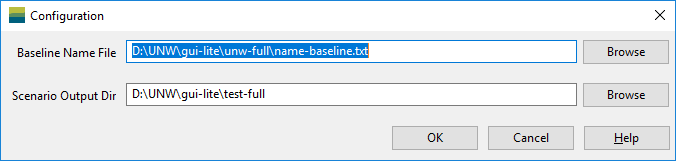
When the Configuration window is closed, the current settings in the window will be automatically saved to the configuration file.